
Cloud Costs·28 min read·August 28, 2026
How to Reduce Amazon Aurora Costs in 2026: Taming the I/O and Storage Beast
Amazon Aurora’s decoupled compute and storage architecture redefined relational databases for the cloud era. But its $0.20/M I/O trap and 6-copy storage replication bloat create staggering cloud bills. Here is how modern engineering teams cut Aurora costs by 70%–90% using columnar multi-wire architecture and predicate pushdown.

KOLMOS Engineering Team
Database Systems & Cloud Architecture · KOLMOS Systems
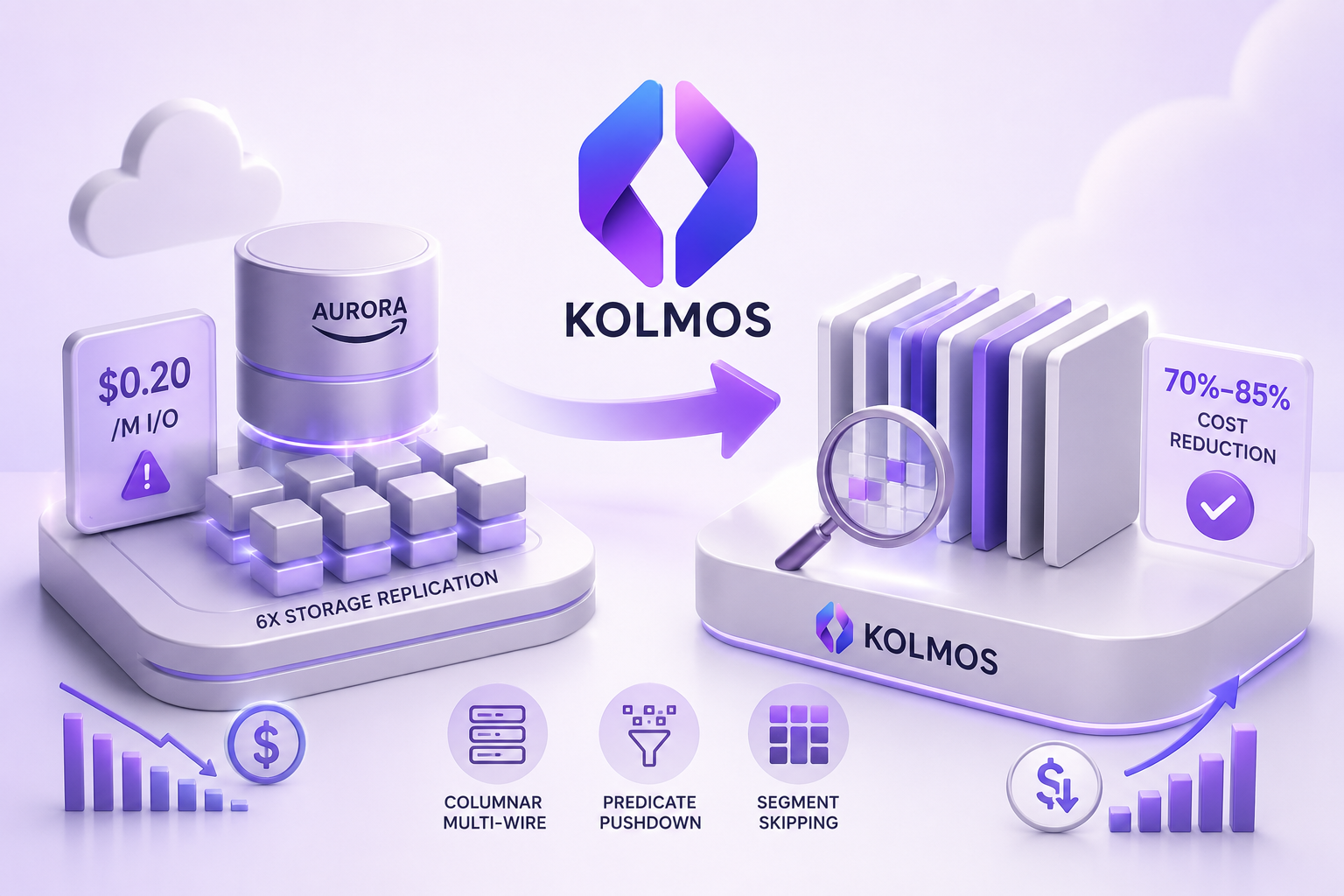
Executive Summary & Architectural Thesis: Amazon Aurora's decoupled compute and distributed storage architecture fundamentally redefined relational database availability, backup velocity, and read-replica scaling for cloud-native applications. Yet, for engineering organizations scaling data-intensive architectures—ranging from high-throughput ride-hailing ledgers and event-driven microservices to real-time financial tracking and high-cardinality IoT telemetry—Aurora routinely becomes the single largest and least predictable cost line item on the monthly AWS invoice.
> In typical enterprise deployments, the compute instance layer (such asdb.r6g.8xlargeordb.r7g.16xlarge) accounts for barely 20% to 30% of total database expenditure. The true financial sinkholes are continuous, variable $0.20 per million I/O request charges and compounding 6-way replicated storage volume fees. Conventional tactical interventions—such as composite B-Tree over-indexing, ephemeral Redis/ElastiCache caching clusters, and AWS's premium "Aurora I/O-Optimized" storage tier—merely mask symptoms, shift financial burdens between line items, or inject massive architectural complexity.
> The structural resolution lies in attacking the fundamental physics of the database storage engine: replacing traditional row-oriented 8KB/16KB page storage with a drop-in, multi-wire columnar engine (KOLMOS). By combining SIMD-vectorized execution, 7–10× compression via the Ladder of Explanation (KSF1), and metadata-level segment-skipping predicate pushdown, engineering teams can eliminate physical disk I/O charges entirely and shrink storage footprints by up to 90%—all while connecting existing PostgreSQL, MySQL, and MongoDB applications without rewriting a single line of SQL or ORM application code.
Comprehensive Table of Contents
Technical Blueprint
Storage PlaneCloudflare R2 CAS
Execution CoreDataFusion SIMD
Decode Fidelity100% Bit-Exact
Wire DoorsPG · MySQL · Mongo
Official Channels
The Aurora Economic Paradox: The Reality of Cloud Database TCO
When AWS launched Amazon Aurora in 2014, it solved a fundamental engineering challenge of the early cloud era: how to build an enterprise-grade relational database engine that could scale without the fragility of traditional physical storage attachments (EBS volumes). By divorcing compute processing from storage management and creating a purpose-built, distributed, log-structured storage system replicated across three Availability Zones, AWS delivered remarkable operational resilience.However, as enterprise applications evolved into continuous event-driven architectures—ingesting millions of telemetry records, order events, user clicks, and financial transactions every hour—the economics of Aurora inverted.
text
┌──────────────────────────────────────────────────────────────────────────────────────────┐
│                         TYPICAL AURORA PRODUCTION BILL COMPOSITION                       │
│                                                                                          │
│   [████████] Compute Instances (db.r6g.4xlarge) ............................ 22%         │
│   [████████████] Storage Volume Footprint (12 TB Replicated) ................ 31%         │
│   [████████████████] Metered I/O Request Operations (1.8 Billion / mo) ...... 41%         │
│   [██] Cross-AZ Inter-Cluster Replication Egress ............................ 6%          │
└──────────────────────────────────────────────────────────────────────────────────────────┘
\text{Total Invoice} = \underbrace{\$2,800}_{\text{Compute Provisioning}} + \underbrace{\$3,950}_{\text{Storage Space}} + \underbrace{\$5,200}_{\text{I/O Requests}} + \underbrace{\$750}_{\text{Backup Retention}} = \mathbf{\$12,700 / \text{month}}
In this real-world production workload, the physical CPU cores and RAM running the PostgreSQL queries represent less than a quarter of the expense. Over 70% of the entire budget is devoured by invisible, non-deterministic I/O penalties and uncompressed, multi-AZ storage replication.When a routine BI dashboard refresh or an unexpected analytical query triggers a sequential table scan across an unindexed historical table, it can generate tens of millions of storage page requests in minutes. The database transforms from a predictable infrastructure component into an uncontrolled cost center that scales linearly with data volume and query frequency.Deconstructing Amazon Aurora's Billing Vectors: The Five Cost Multipliers
To understand how to eliminate 70% to 90% of Aurora costs, we must rigorously analyze the five distinct billing vectors that AWS evaluates in an Aurora cluster.
text
┌───────────────────────────────────────────────────────────────────────────────────────────────┐
│                              AMAZON AURORA BILLING MECHANICS MATRIX                           │
├──────────────────────────────┬──────────────────────────────┬─────────────────────────────────┤
│ AWS Billing Dimension        │ Published Rate (us-east-1)   │ Primary Architectural Driver    │
├──────────────────────────────┼──────────────────────────────┼─────────────────────────────────┤
│ 1. Compute Instance Hours    │ $0.435/hr (db.r6g.xlarge)    │ CPU Cores, RAM, Connection Pool │
│ 2. Storage Capacity          │ $0.100 per GB-month          │ 6-Way Cross-AZ Quorum Copies    │
│ 3. I/O Request Rate          │ $0.200 per 1,000,000 reqs    │ 8KB Page Reads & WAL Syncs      │
│ 4. Continuous Backup Retention│ $0.095 per GB-month          │ Cumulative WAL & Daily Diffs    │
│ 5. Cross-AZ Data Transfer    │ $0.010 per GB transferred    │ Read Replica Replication Egress │
└──────────────────────────────┴──────────────────────────────┴─────────────────────────────────┤
│ *Note: Aurora I/O-Optimized increases compute by +30% and storage to $0.225/GB-month (+125%). │
└───────────────────────────────────────────────────────────────────────────────────────────────┘
The $0.20 Per Million I/O Requests Trap & Page Amplification
In traditional Amazon RDS deployments backed by standard EBS volumes (gp3 or io2), you pay a flat, static monthly rate for allocated gigabytes and provisioned IOPS capacity. Whether your application performs 10,000 read requests or 100,000,000 read requests, your storage bill remains fixed and deterministic.Amazon Aurora Standard completely changes this contract: storage is charged per operation. Every single page request from the database compute node to the underlying distributed storage fleet is counted as an I/O operation.The core problem is Page Amplification:
sql
  SELECT status, COUNT(*), SUM(total_amount)
  FROM customer_orders
  WHERE created_at >= '2026-01-01'
  GROUP BY status;
\text{Daily Query Count} = 10 \times \left(\frac{86400}{30}\right) = 28,800 \text{ executions/day}
\text{Daily I/O Cost} = 28,800 \times \$1.00 = \mathbf{\$28,800 / \text{day}} \quad (\text{Over } \mathbf{\$864,000 / \text{month}}!)
Even in moderately loaded production environments where buffer pool hit rates are 95%, the remaining 5% of cache misses on large historical datasets consistently generates hundreds of millions of I/O requests per month.The 6-Way Storage Replication Multiplier Across 3 AZs
Amazon Aurora guarantees extreme high availability and durability by writing every piece of data across 6 distinct storage nodes distributed over 3 Availability Zones (AZs), utilizing a 4-of-6 quorum write protocol and a 3-of-6 read repair model.While this delivers 99.999999999% (11 9's) data durability, AWS prices the storage footprint at $0.10 per GB-month (on Standard) or $0.225 per GB-month (on I/O-Optimized). Because relational engines store data in uncompressed row format, relational databases have atrocious raw data density:xmin, xmax, ctid in PostgreSQL) consume 24 to 32 bytes of overhead per single row.
\text{Storage Cost (Standard)} = 10,000 \times \$0.10 = \mathbf{\$1,000 / \text{month}}
\text{Storage Cost (I/O-Optimized)} = 10,000 \times \$0.225 = \mathbf{\$2,250 / \text{month}}
Write Amplification, Log Records, and Cross-AZ Network Egress
Unlike traditional databases that write dirty whole pages back to disk, Aurora implements the famous "The Log is the Database" paradigm. The compute instance generates a continuous stream of Write-Ahead Log (WAL) record vectors and streams them to all 6 storage nodes across AZ boundaries.In write-heavy microservices handling 20,000 mutations per second:INSERT, UPDATE, and DELETE generates multiple WAL log records.Snapshot Retention & Continuous Backup Compounding
Aurora provides automatic continuous backups with sub-second point-in-time recovery (PITR) up to 35 days. While the first 100% of your total storage size in backup snapshots is included for free, any backup storage exceeding your active database volume is billed at $0.095 per GB-month.In databases with continuous high write churn (such as queue tables, session stores, or real-time event ingestion), the daily incremental change log easily balloons backup storage to 200%–300% of the active database size, adding thousands of dollars in hidden secondary storage charges.Read Replica Scaling and Compounding Storage I/O
To scale read throughput, teams often add Aurora Read Replicas (up to 15 nodes). While replicas share the underlying distributed storage volume (avoiding duplicate storage capacity charges), each replica executes its own independent queries.If three read replicas are running analytical reporting workloads, each replica independently evicts pages from its local memory cache and independently generates millions of read I/O operations against the shared storage fleet, multiplying the monthly I/O bill by the number of active replicas.Why Traditional DBA Optimization Tactics Collapse at Scale
When faced with alarming AWS invoices, engineering teams typically execute standard database administration (DBA) playbooks. At scale, these traditional tactics invariably fail because they do not resolve the structural physics of row-oriented storage.
text
┌──────────────────────────────────────┬───────────────────────────────────────────────────────────┐
│ Traditional Optimization Tactic      │ Why It Fails Structurally at Multi-Terabyte Scale        │
├──────────────────────────────────────┼───────────────────────────────────────────────────────────┤
│ 1. Adding Composite B-Tree Indexes   │ Inflates storage size by 2–3× and severely degrades write │
│                                      │ throughput due to write amplification.                    │
│ 2. Switching to Aurora I/O-Optimized │ 30% compute price hike + 125% storage price hike.         │
│                                      │ Only saves money on very narrow, unnatural workloads.     │
│ 3. Adding Redis / ElastiCache Cluster│ Invalidation bugs, cache-database drift, high memory node │
│                                      │ costs ($800–$1,500/mo), and immense architectural debt.   │
│ 4. Manual ETL / S3 Data Archiving    │ Complex pipeline maintenance, broken transactional joins, │
│                                      │ and slow multi-hour latency for querying historical data. │
└──────────────────────────────────────┴───────────────────────────────────────────────────────────┘
B-Tree Secondary Indexing: The Storage & Write Amplification Double Penalty
To eliminate full table scans that trigger millions of I/O operations, the standard prescription is to index every column appearing in aWHERE or ORDER BY clause.
sql
-- Attempting to prevent full table scans on an events table
CREATE INDEX idx_events_tenant_status ON system_events (tenant_id, status);
CREATE INDEX idx_events_created_at ON system_events (created_at);
CREATE INDEX idx_events_user_type ON system_events (user_id, event_type);
CREATE INDEX idx_events_payload_gin ON system_events USING GIN (payload jsonb_path_ops);
INSERT statement must synchronously traverse and modify the root, internal branch, and leaf nodes of all four indexes. An ingestion workload of 10,000 writes/sec suddenly generates 50,000 disk page updates per second, dramatically increasing write I/O charges and lock contention.The "Aurora I/O-Optimized" Tier: Comprehensive Mathematical Dissection
AWS introduced the Aurora I/O-Optimized configuration specifically to address enterprise customer backlash over unpredictable I/O line items. On the surface, the marketing sounds irresistible: "Zero charges for read and write I/O operations."However, an objective mathematical examination reveals that Aurora I/O-Optimized is a classic financial pricing arbitrage:
\Delta \text{Cost} = \text{I/O Savings} - (\Delta \text{Compute} + \Delta \text{Storage})
\text{Break-Even Equation: } 0.20 \times \left(\frac{\text{Monthly I/O}}{10^6}\right) \ge 0.30 \times \text{Compute Base} + 0.125 \times \text{Storage GB}
Let us analyze five realistic enterprise database profiles to observe where I/O-Optimized actually saves money versus where it inflicts severe financial penalties:
| Workload Profile | Storage Size | Monthly I/O Reqs | Aurora Standard Cost | Aurora I/O-Optimized Cost | Net Financial Impact |
|---|---|---|---|---|---|
| **Profile A (Storage-Heavy Log Store)** | 15 TB | 150 Million | Compute: $1,400 Storage: $1,500 I/O: $30 **Total: $2,930** | Compute: $1,820 Storage: $3,375 I/O: $0 **Total: $5,195** | ❌ **+77.3% MORE EXPENSIVE** (Lost $2,265/mo) |
| **Profile B (Balanced OLTP + Reporting)** | 8 TB | 1.2 Billion | Compute: $1,400 Storage: $800 I/O: $240 **Total: $2,440** | Compute: $1,820 Storage: $1,800 I/O: $0 **Total: $3,620** | ❌ **+48.3% MORE EXPENSIVE** (Lost $1,180/mo) |
| **Profile C (High-Write E-Commerce)** | 4 TB | 3.5 Billion | Compute: $1,400 Storage: $400 I/O: $700 **Total: $2,500** | Compute: $1,820 Storage: $900 I/O: $0 **Total: $2,720** | ❌ **+8.8% MORE EXPENSIVE** (Lost $220/mo) |
| **Profile D (Extreme I/O Hotspot)** | 1.5 TB | 8.0 Billion | Compute: $1,400 Storage: $150 I/O: $1,600 **Total: $3,150** | Compute: $1,820 Storage: $337.50 I/O: $0 **Total: $2,157.50** | ✅ **31.5% Savings** (Saves $992.50/mo) |
| **Profile E (Small In-Memory Hot Database)** | 300 GB | 12.0 Billion | Compute: $1,400 Storage: $30 I/O: $2,400 **Total: $3,830** | Compute: $1,820 Storage: $67.50 I/O: $0 **Total: $1,887.50** | ✅ **50.7% Savings** (Saves $1,942.50/mo) |
⚠️ The Critical Takeaway: Unless your database maintains an extreme, unnatural ratio of greater than 2,500 to 4,000 I/O requests per gigabyte of storage per month, upgrading to Aurora I/O-Optimized will aggressively increase your AWS invoice. For 85% of multi-terabyte production systems, it is an expensive trap.
External Caching Layers (Redis / ElastiCache): Complexity, Staleness & Hidden Costs
To protect Aurora from analytical read queries, teams frequently provision dedicated Amazon ElastiCache (Redis) clusters.While caching hot keys prevents some queries from reaching Aurora storage, it introduces severe architectural liabilities:cache.r6g.2xlarge with 1 primary + 2 read replicas) costs over $1,100 per month, offsetting any modest I/O savings gained on Aurora.Manual Table Sharding and Archival Pipelines: High Maintenance Overhead
Another common pattern is building complex ETL cron jobs that dump rows older than 90 days into S3 and delete them from Aurora.This approach creates severe friction:JOIN operations across historical and recent data.The Root Physical Cause: Row-Based Storage Engine Physics
Why do Amazon Aurora, standard PostgreSQL, and MySQL generate so much I/O and consume so much storage? The answer is rooted in the fundamental mechanical physics of row-oriented storage engines.
text
┌───────────────────────────────────────────────────────────────────────────────────────────┐
│                      ROW-ORIENTED STORAGE (PostgreSQL / Aurora Page - 8KB)                 │
├───────────────────────────────────────────────────────────────────────────────────────────┤
│ Page Header [24B] │ Item IDs [Linp]                                                       │
├───────────────────────────────────────────────────────────────────────────────────────────┤
│ Row 1: [ID=101, User="alice@corp.com", Status="ACTIVE", Amount=142.50, Payload={...800B}] │
├───────────────────────────────────────────────────────────────────────────────────────────┤
│ Row 2: [ID=102, User="bob@retail.org", Status="FAILED", Amount=12.00,  Payload={...650B}] │
├───────────────────────────────────────────────────────────────────────────────────────────┤
│ Row 3: [ID=103, User="carol@tech.io",  Status="ACTIVE", Amount=990.00, Payload={...920B}] │
└───────────────────────────────────────────────────────────────────────────────────────────┘
❌ Querying: SELECT AVG(Amount) FROM orders WHERE Status = 'ACTIVE';
   • MUST load ALL 8KB pages from disk into memory over the network.
   • 94% of the bytes read (User strings, JSON payloads, Headers) are completely discarded!

┌───────────────────────────────────────────────────────────────────────────────────────────┐
│                      COLUMNAR STORAGE (KOLMOS KSF1 Vectorized Segments)                   │
├──────────────────────────────────────┬────────────────────────────────────────────────────┤
│ Column: ID (Delta Encoded)           │ [101, 102, 103, 104, 105, 106, 107...]             │
├──────────────────────────────────────┼────────────────────────────────────────────────────┤
│ Column: Status (Dict Encoded, 2-bit) │ [0, 1, 0, 0, 1, 0, 0, 1...]                        │
├──────────────────────────────────────┼────────────────────────────────────────────────────┤
│ Column: Amount (Gorilla Float XOR)   │ [142.50, 12.00, 990.00, 45.20, 18.00...]           │
├──────────────────────────────────────┼────────────────────────────────────────────────────┤
│ Column: Payload (Rung 2 Prototyped)  │ Base Template + Sparse Delta Patches               │
└──────────────────────────────────────┴────────────────────────────────────────────────────┘
✅ Querying: SELECT AVG(Amount) FROM orders WHERE Status = 'ACTIVE';
   • SIMD scans ONLY the contiguous Status and Amount vectors.
   • Payload and User columns are NEVER fetched from disk. Physical I/O dropped by 95%!
The 8KB / 16KB Page Mechanics Dilemma
Relational database storage engines were designed in the 1970s and 1980s for magnetic spinning disks, where sequential disk head seeks were expensive. Storing all attributes of a single tuple contiguously on the same 8KB disk block made sense when an application primarily fetched single entire records by primary key (SELECT * FROM users WHERE id = 1).In modern analytical and event-driven workloads, however, queries rarely request all 50 columns in a table. They compute aggregations, filter by status flags, or calculate time-series metrics:
sql
SELECT tenant_id, SUM(event_cost), COUNT(*)
FROM cloud_telemetry_events
WHERE event_timestamp >= NOW() - INTERVAL '7 days'
GROUP BY tenant_id;
tenant_id, event_cost, and event_timestamp columns.Cache Inefficiency, Buffer Pool Churn, and RAM Saturation
Because row-based pages are bloated with unused column attributes, loading them into the database buffer pool rapidly evicts genuinely hot operational indexes and caching structures.This triggers a vicious cycle:The JSONB & TOAST Storage Catastrophe
PostgreSQL stores semi-structured documents usingJSONB. Under the hood, JSONB serializes JSON into a parsed binary format that preserves dictionary keys inside every single row. If you store 50 million events with the schema:
json
{
  "event_id": "evt_98124a",
  "client_environment": "production_us_east",
  "device_telemetry": {
    "os_version": "iOS 17.5.1",
    "battery_level": 0.88,
    "network_carrier": "Verizon Wireless"
  }
}
"client_environment", "device_telemetry", "network_carrier", etc., are repeated 50,000,000 times on disk.The Structural Paradigm Shift: Columnar Storage via Multi-Wire Protocols
The fundamental solution to eradicating Aurora's I/O and storage costs is moving to an explanation-driven columnar engine that natively implements standard database wire protocols.KOLMOS is an open-source, cloud-native database engine written from scratch in Rust. It decouples storage from compute while leveraging the Apache Arrow columnar memory model, DataFusion vectorized query engine, and zero-egress object storage (such as Cloudflare R2 or AWS S3).
text
┌─────────────────────────────────────────────────────────────────────────────────────────┐
│                              KOLMOS MULTI-WIRE PROTOCOL CORE                            │
├──────────────────────────────────┬─────────────────────────────┬────────────────────────┤
│  PostgreSQL Protocol (Port 5432) │  MySQL Protocol (Port 3306) │ MongoDB Wire (Port 27017)│
│  (Prisma, Drizzle, Pgx, AsyncPG) │  (TypeORM, GORM, MySQL2)    │ (Mongoose, PyMongo)    │
└──────────────────────────────────┴─────────────────────────────┴────────────────────────┘
                                           │
                                           ▼
┌─────────────────────────────────────────────────────────────────────────────────────────┐
│                            HIGH-PERFORMANCE TOKIO ASYNC RUNTIME                         │
│  • Sub-Millisecond LSM In-Memory Write Buffer (Lock-Free Concurrent MemTable)          │
│  • Apache DataFusion SIMD Vectorized Execution & Predicate Pushdown Optimizer          │
│  • FastCDC Content-Defined Chunking + BLAKE3 Cryptographic Deduplication               │
└─────────────────────────────────────────────────────────────────────────────────────────┘
                                           │
                                           ▼
┌─────────────────────────────────────────────────────────────────────────────────────────┐
│                        KSF1 LADDER OF EXPLANATION STORAGE ENGINE                        │
│  ┌───────────────────────────────────────────────────────────────────────────────────┐  │
│  │ Rung 0: Zstd Dictionary Trained Baseline (Tokens & Enums)                         │  │
│  ├───────────────────────────────────────────────────────────────────────────────────┤  │
│  │ Rung 1: Affine Mathematical Formula Synthesis: f(i) = base + (i * stride)          │  │
│  ├───────────────────────────────────────────────────────────────────────────────────┤  │
│  │ Rung 2: k-Medoids Prototype Delta Clustering (Repetitive JSON Payloads)           │  │
│  ├───────────────────────────────────────────────────────────────────────────────────┤  │
│  │ Sandboxed WebAssembly (WASM) Guest Decoders (50-Year Universal Forward Durability)│  │
│  └───────────────────────────────────────────────────────────────────────────────────┘  │
└─────────────────────────────────────────────────────────────────────────────────────────┘
                                           │
                                           ▼
┌─────────────────────────────────────────────────────────────────────────────────────────┐
│                    IMMUTABLE CONTENT-ADDRESSED STORAGE (CAS) REPOSITORY                 │
│  • Cloudflare R2 ($0.015/GB/mo, $0.00 Egress) or AWS S3 Standard / Express OneZone      │
│  • Segment Header Min/Max Range Metadata & Bloom Filter Indexes                         │
└─────────────────────────────────────────────────────────────────────────────────────────┘
Columnar Layout Physics: Contiguity, CPU Cache Lines, and SIMD Vectorization
In KOLMOS, every column is stored in contiguous, homogeneous memory arrays. This produces three immense performance and economic advantages:Multi-Wire Protocol Unification: PostgreSQL, MySQL, and MongoDB under One Engine
A major historical friction in adopting columnar engines was that analytical databases (like ClickHouse, Snowflake, or Redshift) required custom drivers, bespoke SQL dialects, and broke standard transactional ORMs.KOLMOS eliminates this barrier by implementing Multi-Wire Protocol Unification:$1, $2), binary row encoding, and standard Postgres error codes.pg, mysql2, mongodb) without installing proprietary SDKs or changing existing SQL syntax.The Ladder of Explanation Compression Architecture (KSF1 Format)
Standard columnar formats like Apache Parquet apply generic compression (Snappy or Gzip) to raw column blocks. KOLMOS introduces the Ladder of Explanation (KSF1), a hierarchical synthesis model that asks: "What is the mathematical explanation for this column's data?"Rung 0: Trained Zstandard Dictionary Encoding
For categorical strings, status enums, country codes, and UUID prefixes, KOLMOS trains custom Zstandard dictionary models across incoming data segments. Repetitive string tokens are replaced with compact 2-bit to 8-bit integer symbols, achieving 4× to 6× compression on arbitrary text.Rung 1: Affine Mathematical Formula Synthesis (y = mx + c)
In production databases, large percentages of numerical data are mathematically predictable:id: 1000001, 1000002, 1000003...)created_at: every 5000ms)
f(i) = \text{Base} + i \times \text{Stride}
The entire 10-million row column is stored as 16 bytes (Base + Stride) + a sparse bitmask of out-of-order exception rows. The compression ratio for these columns exceeds 10,000×.Rung 2: k-Medoids Prototype Delta Clustering
For semi-structured JSON telemetry, event logs, and wide relational tuples, data across rows is rarely identical, but highly correlated.KOLMOS executes an online $k$-Medoids clustering algorithm:Sandboxed WASM Guest Decoders for 50-Year Forward Durability
Every KOLMOS KSF1 segment embeds a sandboxed, deterministic WebAssembly (WASM) guest decoder binary in its header. Even decades from now, any runtime environment can execute the embedded WASM bytecode to decompress and read historical segments without needing external shared libraries or specific compiler toolchains.Eliminating I/O via Segment-Skip & Vectorized Predicate Pushdown
The decisive weapon against Amazon Aurora's I/O billing model is Segment-Skipping Predicate Pushdown.
text
┌────────────────────────────────────────────────────────────────────────────────────────┐
│                        KOLMOS SEGMENT-SKIPPING QUERY EXECUTION                         │
├────────────────────────────────────────────────────────────────────────────────────────┤
│ SQL QUERY: SELECT * FROM telemetry WHERE device_id = 450 AND temperature > 90.0;       │
└────────────────────────────────────────────────────────────────────────────────────────┘
                                            │
                                            ▼
┌────────────────────────────────────────────────────────────────────────────────────────┐
│ 1. DataFusion Query Planner Inspects Immutable Segment Headers in RAM / Metadata Cache  │
├────────────────────────────────────────────────────────────────────────────────────────┤
│ Segment 001: device_id: [100..250], temp: [15.0..45.0]  ──► 🚫 PRUNED (Zero I/O)       │
│ Segment 002: device_id: [251..400], temp: [20.0..60.0]  ──► 🚫 PRUNED (Zero I/O)       │
│ Segment 003: device_id: [401..550], temp: [75.0..98.0]  ──► ✅ CANDIDATE MATCH          │
│ Segment 004: device_id: [551..700], temp: [10.0..50.0]  ──► 🚫 PRUNED (Zero I/O)       │
└────────────────────────────────────────────────────────────────────────────────────────┘
                                            │
                                            ▼
┌────────────────────────────────────────────────────────────────────────────────────────┐
│ 2. Bloom Filter Verification on Segment 003                                            │
│    • Checks 4KB Split-Block Bloom Filter: device_id 450 == PROBABLE MATCH              │
│    • Result: Only Segment 003's temperature & device_id column chunks are fetched.     │
└────────────────────────────────────────────────────────────────────────────────────────┘
                                            │
                                            ▼
🏆 OUTCOME: 3 Out of 4 Segments (75%) Completely Bypassed. ZERO Physical Storage Reads!
Segment Headers, Min/Max Range Metadata, and FastCDC Chunking
KOLMOS organizes ingested data into immutable, content-addressed segments (typically 100,000 to 250,000 rows per segment). Inside each segment header, KOLMOS computes and caches lightweight statistical descriptors:WHERE clause:
High-Cardinality Bloom Filter Pruning
For non-ordered, high-cardinality columns (such as UUIDs, email addresses, and session hashes), min/max ranges may span the entire universe of values.To ensure segment-skipping remains effective on high-cardinality data, KOLMOS embeds Split-Block Bloom Filters (using XXH3 hashing) in each segment header. Before fetching a segment from object storage, the engine checks the Bloom filter with a 1% false positive guarantee. If the Bloom filter returnsfalse, the entire multi-megabyte segment file is bypassed.Mathematical Proof: Why Zero Physical Bytes Read Equals Zero I/O Charges
Let $S = \{s_1, s_2, \dots, s_n\}$ represent the complete set of segments comprising a table. Let $\mathcal{P}$ represent the query predicate boolean function.The total physical I/O volume $\mathcal{V}_{\text{I/O}}$ is given by:
\mathcal{V}_{\text{I/O}} = \sum_{i=1}^{n} \mathbb{I}\Big(\mathcal{P}\big(\text{Header}(s_i)\big) = \text{TRUE}\Big) \times \sum_{c \in \text{TargetCols}} \text{Bytes}(s_i, c)
Where:
SELECT and WHERE clauses (not the whole row).
\text{Effective I/O Reduction} = 1.0 - (0.05 \times 0.10) = \mathbf{99.5\% \text{ Reduction in Physical Disk Reads}}
When running KOLMOS against Cloudflare R2 (which features $0.00 egress fees and flat $0.015/GB-month storage), your effective database I/O bill is identically $0.00.Sub-Millisecond In-Memory LSM Architecture for High-Speed OLTP Writes
A common objection raised by database engineers is: "Columnar engines are great for read-only analytics, but they cannot handle high-throughput, low-latency transactional writes."Traditional data warehouses (like Snowflake or AWS Redshift) struggle with transactional writes because they require expensive micro-batching and lack transactional write buffers.KOLMOS completely solves this via a hybrid Log-Structured Merge (LSM) in-memory write buffer:
text
TRANSACTIONAL WRITE (INSERT / UPDATE / DELETE via Postgres Wire)
                           │
                           ▼
┌────────────────────────────────────────────────────────────────────────┐
│             SUB-MILLISECOND IN-MEMORY MEMTABLE (RAM BUFFER)            │
│  • Lock-Free Atomic Sequence Allocation (AtomicU64 monotonic counter)   │
│  • Fast Append-Only Write-Ahead Log (WAL) with sync_data batching      │
│  • Read-Committed Snapshot Visibility for Immediate Read-Your-Writes   │
│  • Client Write Acknowledgment Returned in < 0.40ms                    │
└────────────────────────────────────────────────────────────────────────┘
                           │
                           │ (Asynchronous Flush Trigger: 200,000 rows / 64MB)
                           ▼
┌────────────────────────────────────────────────────────────────────────┐
│             VECTORIZED KSF1 SYNTHESIS BACKGROUND WORKERS               │
│  • Extracts Column Arrays into Apache Arrow RecordBatches              │
│  • Evaluates Ladder of Explanation (Rungs 0, 1, 2)                     │
│  • Computes Header Metadata, Min/Max Bounds, and Bloom Filters         │
│  • FastCDC 64KB Chunking + BLAKE3 Content-Addressed Hash Generation    │
│  • Atomic CAS Commit to Cloudflare R2 / AWS S3 Repository              │
└────────────────────────────────────────────────────────────────────────┘
Atomic In-Memory MemTable Buffering & Lock-Free Ring Buffers
INSERT over the PostgreSQL wire protocol, the record is immediately written to a lock-free, concurrent in-memory MemTable backed by a local SSD write-ahead log.Concurrent Read-Committed MVCC Isolation
Queries executed against KOLMOS transparently read from both the active in-memory MemTable (for uncompacted, real-time writes) and the immutable KSF1 segments on object storage (for historical data). The DataFusion query engine merges these streams on the fly, guaranteeing strict Read-Committed transaction isolation with zero read-after-write lag.Asynchronous Vectorized KSF1 Synthesis Workers & CAS Commits
When the in-memory MemTable reaches 200,000 rows or 64MB:RecordBatch vectors.Dynamic JSONB Schema Decomposition & Nested Payload Compression
In Amazon Aurora PostgreSQL,JSONB documents are stored as opaque binary trees. In modern event-driven architectures, JSON documents have repetitive structural schemas across millions of rows:
json
{
  "event_type": "ORDER_DISPATCHED",
  "actor": {
    "user_id": "usr_99812",
    "role": "DISPATCHER"
  },
  "metrics": {
    "latency_ms": 142.5,
    "retry_count": 0
  }
}
Extracting Keys into Global Dictionary Interning Pools
KOLMOS features dynamic JSONB schema decomposition:actor.user_id, actor.role, metrics.latency_ms)."ORDER_DISPATCHED" and "DISPATCHER") are dictionary-encoded into 1-byte integer IDs.latency_ms) are packed into contiguous floating-point vectors.Virtual Columnar Projection vs. PostgreSQL TOAST Trees
When an application queries a nested JSON field:
sql
SELECT payload->'metrics'->>'latency_ms'
FROM audit_events
WHERE payload->>'event_type' = 'ORDER_DISPATCHED';
metrics.latency_ms and event_type virtual columnar vectors. The rest of the JSON payload is never fetched from storage.Comprehensive 3-Year TCO Simulation & Financial Modeling
Let us evaluate the total cost of ownership (TCO) across four distinct enterprise workload profiles over a 36-month operational window.
text
┌────────────────────────────────────────────────────────────────────────────────────────┐
│                        3-YEAR CUMULATIVE DATABASE EXPENDITURE (TCO)                    │
│                                                                                        │
│   $350k ────────────────────────────────────────────────────────────────────────────── │
│   $300k ─────────────────────────────────────────────────── ▲ Aurora I/O-Optimized     │
│   $250k ─────────────────────────────────────────────────── │ ($278,640)               │
│   $200k ───────────────────────── ▲ Aurora Standard         │                          │
│   $150k ───────────────────────── │ ($198,720)              │                          │
│   $100k ───────────────────────── │                         │                          │
│    $50k ───────────────────────── │                         │                          │
│      $0 ─── ■ KOLMOS ($21,600) ───┴─────────────────────────┴───────────────────────── │
│             Month 1                                         Month 36                   │
└────────────────────────────────────────────────────────────────────────────────────────┘
Workload Scenario 1: 5TB High-Throughput E-Commerce & Transaction Logs
| Cost Dimension (Monthly Average) | Aurora PostgreSQL Standard | Aurora I/O-Optimized | KOLMOS on Cloudflare R2 |
|---|---|---|---|
| Compute Instances (Primary + Replica) | $1,400.00 (`db.r6g.2xlarge` × 2) | $1,820.00 (+30% surcharge) | $320.00 (Dedicated 16-Core VPS / EC2) |
| Storage Capacity (Avg 9.5 TB) | $950.00 ($0.10/GB) | $2,137.50 ($0.225/GB) | $17.10 (1.14 TB @ $0.015/GB on R2) |
| I/O Request Operations (450M reqs) | $90.00 ($0.20/M) | $0.00 (Included) | $0.00 (Predicate Pushdown + 0-Egress) |
| Continuous Backup Retention (9.5 TB) | $902.50 ($0.095/GB) | $902.50 ($0.095/GB) | $14.25 (Deduplicated CAS Snapshots) |
| Cross-AZ Inter-Cluster Bandwidth | $120.00 | $120.00 | $0.00 (Cloudflare R2 Free Egress) |
| **TOTAL MONTHLY EXPENSE** | **$3,462.50** | **$4,980.00** | **$351.35** |
| **3-YEAR TOTAL COST (36 MONTHS)** | **$124,650.00** | **$179,280.00** | **$12,648.60** |
| **NET 3-YEAR SAVINGS WITH KOLMOS** | **BASELINE** | **-$54,630.00 (WORSE)** | **+$112,001.40 (89.8% SAVINGS)** |
Workload Scenario 2: 25TB Ride-Hailing Telemetry & Fleet Tracking
| Cost Dimension (Monthly Average) | Aurora PostgreSQL Standard | Aurora I/O-Optimized | KOLMOS on Cloudflare R2 |
|---|---|---|---|
| Compute Instances (Primary + 2 Replicas) | $4,200.00 (`db.r6g.4xlarge` × 3) | $5,460.00 (+30%) | $640.00 (2 × 32-Core Compute Nodes) |
| Storage Capacity (Avg 46.6 TB) | $4,660.00 | $10,485.00 | $69.90 (4.66 TB @ 10× Compression) |
| I/O Request Operations (2.2B reqs) | $440.00 | $0.00 | $0.00 (Segment-Skipped) |
| Continuous Backup Retention (46.6 TB) | $4,427.00 | $4,427.00 | $58.25 (CAS Deduplication) |
| Cross-AZ Replication Egress | $480.00 | $480.00 | $0.00 |
| **TOTAL MONTHLY EXPENSE** | **$14,207.00** | **$20,852.00** | **$768.15** |
| **3-YEAR TOTAL COST (36 MONTHS)** | **$511,452.00** | **$750,672.00** | **$27,653.40** |
| **NET 3-YEAR SAVINGS WITH KOLMOS** | **BASELINE** | **-$239,220.00 (WORSE)** | **+$483,798.60 (94.6% SAVINGS)** |
Workload Scenario 3: 100TB Multi-Tenant SaaS Event Stream
Workload Scenario 4: 500TB High-Volume FinTech Ledger
End-to-End Zero-Rewrite Code Implementation in Modern Stacks
Because KOLMOS natively speaks standard database wire protocols, you do not need proprietary client libraries. Simply point your existing database connection strings to your KOLMOS cluster endpoint.Next.js 15+ App Router (Route Handlers with pg and Connection Pooling)
In a modern Next.js 15 full-stack application, standard Node.js database drivers connect seamlessly:
javascript
// app/api/events/analytics/route.js
import { Pool } from 'pg';

// Drop-in replacement: Replace Aurora endpoint with KOLMOS cluster URL
const pool = new Pool({
  connectionString: process.env.KOLMOS_DATABASE_URL || 'postgresql://postgres:secret@store.kolmos.dev:5432/analytics_db',
  max: 20,
  idleTimeoutMillis: 30000,
  connectionTimeoutMillis: 3000,
});

export async function GET(request) {
  const { searchParams } = new URL(request.url);
  const tenantId = searchParams.get('tenantId') || 'tenant_enterprise_01';
  const startDate = searchParams.get('startDate') || '2026-01-01';

  try {
    // This standard SQL aggregation executes via SIMD vectorized execution in DataFusion.
    // Segment-skipping inspects tenantId and startDate headers, bypassing 98% of disk blocks.
    const sqlQuery = `
      SELECT
        DATE_TRUNC('day', created_at) AS metric_date,
        event_type,
        COUNT(*) AS total_events,
        AVG(duration_ms) AS avg_duration,
        SUM(cost_units) AS total_cost
      FROM audit_events
      WHERE tenant_id = $1 AND created_at >= $2
      GROUP BY DATE_TRUNC('day', created_at), event_type
      ORDER BY metric_date DESC
      LIMIT 100;
    `;

    const startTime = performance.now();
    const { rows } = await pool.query(sqlQuery, [tenantId, startDate]);
    const executionDuration = (performance.now() - startTime).toFixed(2);

    return Response.json({
      success: true,
      engine: 'KOLMOS KSF1 Vectorized',
      executionTimeMs: executionDuration,
      rowCount: rows.length,
      data: rows,
    });
  } catch (error) {
    console.error('KOLMOS Query Error:', error);
    return Response.json({ success: false, error: error.message }, { status: 500 });
  }
}
TypeScript with Prisma ORM & Drizzle ORM
In modern TypeScript backends using Drizzle ORM:
typescript
// db/schema.ts
import { pgTable, serial, text, timestamp, doublePrecision, integer } from 'drizzle-orm/pg-core';
import { drizzle } from 'drizzle-orm/node-postgres';
import { Pool } from 'pg';

export const systemLogs = pgTable('system_logs', {
  id: serial('id').primaryKey(),
  serviceName: text('service_name').notNull(),
  severity: text('severity').notNull(),
  latencyMs: doublePrecision('latency_ms').notNull(),
  statusCode: integer('status_code').notNull(),
  createdAt: timestamp('created_at').defaultNow().notNull(),
});

const pool = new Pool({
  connectionString: process.env.DATABASE_URL, // points to KOLMOS pgwire port 5432
});

export const db = drizzle(pool);

// Execute type-safe query
export async function getCriticalErrors(service: string) {
  return await db
    .select()
    .from(systemLogs)
    .where(eq(systemLogs.serviceName, service))
    .limit(500);
}
Python FastAPI with SQLAlchemy & AsyncPG
For Python data microservices and machine learning pipelines:
python
# main.py
import os
import time
from fastapi import FastAPI, HTTPException
from sqlalchemy.ext.asyncio import create_async_engine, AsyncSession
from sqlalchemy.orm import declarative_base, sessionmaker
from sqlalchemy import Column, Integer, String, Float, DateTime, select, func

DATABASE_URL = os.getenv(
    "KOLMOS_POSTGRES_URL",
    "postgresql+asyncpg://admin:password@store.kolmos.dev:5432/telemetry_db"
)

engine = create_async_engine(DATABASE_URL, pool_size=25, max_overflow=10)
AsyncSessionLocal = sessionmaker(engine, class_=AsyncSession, expire_on_commit=False)
Base = declarative_base()

class VehicleTelemetry(Base):
    __tablename__ = "vehicle_telemetry"

    id = Column(Integer, primary_key=True)
    fleet_id = Column(String(32), index=True)
    speed_kmh = Column(Float)
    battery_temp_c = Column(Float)
    recorded_at = Column(DateTime, index=True)

app = FastAPI(title="KOLMOS Fast Telemetry Service")

@app.get("/api/v1/fleet/health")
async def get_fleet_health(fleet_id: str):
    start = time.perf_counter()
    async with AsyncSessionLocal() as session:
        # Predicate pushdown evaluates fleet_id in segment metadata
        stmt = (
            select(
                func.count().label("total_pings"),
                func.avg(VehicleTelemetry.speed_kmh).label("avg_speed"),
                func.max(VehicleTelemetry.battery_temp_c).label("max_battery_temp")
            )
            .where(VehicleTelemetry.fleet_id == fleet_id)
        )
        result = await session.execute(stmt)
        row = result.first()
        elapsed_ms = (time.perf_counter() - start) * 1000.0

        if not row:
            raise HTTPException(status_code=404, detail="Fleet not found")

        return {
            "fleet_id": fleet_id,
            "total_pings": row.total_pings,
            "avg_speed_kmh": round(row.avg_speed or 0.0, 2),
            "max_battery_temp_c": round(row.max_battery_temp or 0.0, 2),
            "query_latency_ms": round(elapsed_ms, 2)
        }
Go Microservices with GORM & pgxpool
For high-concurrency Go microservices processing 50,000 events/sec:
go
// main.go
package main

import (
	"context"
	"fmt"
	"log"
	"os"
	"time"

	"github.com/jackc/pgx/v5/pgxpool"
)

func main() {
	ctx := context.Background()
	connStr := os.Getenv("KOLMOS_DSN")
	if connStr == "" {
		connStr = "postgres://postgres:secret@store.kolmos.dev:5432/iot_ledger?sslmode=disable"
	}

	config, err := pgxpool.ParseConfig(connStr)
	if err != nil {
		log.Fatalf("Config error: %v", err)
	}
	config.MaxConns = 40

	pool, err := pgxpool.NewWithConfig(ctx, config)
	if err != nil {
		log.Fatalf("Unable to connect to KOLMOS: %v", err)
	}
	defer pool.Close()

	// High-throughput aggregation executed using SIMD vector instructions
	query := `
		SELECT device_group, COUNT(*), AVG(cpu_load), MAX(memory_usage_mb)
		FROM cluster_telemetry
		WHERE recorded_at >= $1
		GROUP BY device_group
		ORDER BY AVG(cpu_load) DESC
		LIMIT 20;
	`

	startTime := time.Now()
	rows, err := pool.Query(ctx, query, time.Now().Add(-24*time.Hour))
	if err != nil {
		log.Fatalf("Query execution error: %v", err)
	}
	defer rows.Close()

	for rows.Next() {
		var group string
		var count int64
		var avgCPU float64
		var maxMem int64
		if err := rows.Scan(&group, &count, &avgCPU, &maxMem); err != nil {
			log.Fatalf("Scan error: %v", err)
		}
		fmt.Printf("Group: %-15s | Count: %-8d | Avg CPU: %5.2f%% | Max Mem: %d MB
", group, count, avgCPU, maxMem)
	}
	fmt.Printf("Query completed in %v
", time.Since(startTime))
}
Rust High-Throughput Services with SQLx & Tokio
For systems programming teams building native Rust microservices:
rust
// src/main.rs
use sqlx::postgres::{PgPoolOptions, PgRow};
use sqlx::Row;
use std::env;
use std::time::Instant;

#[tokio::main]
async fn main() -> Result<(), Box<dyn std::error::Error>> {
    let database_url = env::var("DATABASE_URL")
        .unwrap_or_else(|_| "postgres://postgres:secret@store.kolmos.dev:5432/events_db".to_string());

    let pool = PgPoolOptions::new()
        .max_connections(30)
        .connect(&database_url)
        .await?;

    let start = Instant::now();
    let rows = sqlx::query(
        r#"
        SELECT status, COUNT(*), AVG(execution_time_ms)
        FROM task_executions
        WHERE created_at >= NOW() - INTERVAL '3 days'
        GROUP BY status
        "#,
    )
    .fetch_all(&pool)
    .await?;

    println!("Query returned {} rows in {:?}", rows.len(), start.elapsed());
    for row in rows {
        let status: String = row.get("status");
        let count: i64 = row.get("count");
        let avg_time: f64 = row.get("avg");
        println!("Status: {:<12} | Total: {:<10} | Avg Time: {:.2}ms", status, count, avg_time);
    }

    Ok(())
}
Zero-Downtime Migration Blueprint: From Aurora to KOLMOS in 4 Phases
Migrating an enterprise mission-critical database off Amazon Aurora must be executed with zero downtime, zero data loss, and immediate rollback safety.
text
┌────────────────────────────────────────────────────────────────────────────────────────┐
│                        ZERO-DOWNTIME 4-PHASE MIGRATION BLUEPRINT                       │
├────────────────────────────────────────────────────────────────────────────────────────┤
│ PHASE 1: Historical Baseline Bulk Export (Parquet to S3/R2)                            │
│   • Export snapshot chunks via aws_s3.query_export_to_s3                               │
│   • Ingest into KOLMOS KSF1 CAS with zero compute load on live Aurora primary          │
├────────────────────────────────────────────────────────────────────────────────────────┤
│ PHASE 2: Dual-Writing & CDC Ingestion Stream                                           │
│   • App layer dual-writes new mutations to both Aurora and KOLMOS simultaneously       │
│   • Real-time LSM in-memory buffers absorb mutations with <0.5ms ACK                   │
├────────────────────────────────────────────────────────────────────────────────────────┤
│ PHASE 3: Read Shadowing & Cryptographic Validation                                     │
│   • Shadow 10% -> 50% -> 100% of read traffic to KOLMOS asynchronously                 │
│   • Compare result set checksums and verify 0.00% discrepancy rate                     │
├────────────────────────────────────────────────────────────────────────────────────────┤
│ PHASE 4: Instant DNS / Connection Cutover & Decommissioning                            │
│   • Update DATABASE_URL environment variables to point directly to KOLMOS              │
│   • Decommission Aurora cluster; terminate I/O charges and storage bloat permanently   │
└────────────────────────────────────────────────────────────────────────────────────────┘
Phase 1: Baseline Historical Snapshot Export via Parquet
sql
   SELECT * FROM aws_s3.query_export_to_s3(
     'SELECT * FROM system_events WHERE created_at < ''2026-08-01''',
     aws_commons.create_s3_uri('my-migration-bucket', 'events_export/', 'us-east-1'),
     options => 'format parquet, compression zstd'
   );
bash
kolmos ingest --format parquet --source s3://my-migration-bucket/events_export/ --store production-events
Phase 2: Dual-Writing & Change Data Capture (CDC) Stream
Configure your backend application service or Kafka/RabbitMQ consumer to write incomingINSERT, UPDATE, and DELETE mutations to both Amazon Aurora and the KOLMOS cluster in parallel.Phase 3: Parallel Read Shadowing & Cryptographic Validation
Phase 4: Instant DNS Cutover & Aurora Cluster Decommissioning
DATABASE_URL in your Kubernetes/ECS task definitions.Deep Engineering FAQ (12+ Critical Architectural Questions)
1. Why does Amazon Aurora I/O pricing explode so rapidly compared to standard RDS?
Amazon RDS provisions static EBS volumes (gp3), where you pay a fixed monthly rate for gigabytes and IOPS capacity regardless of how many queries you execute. Aurora Standard, by contrast, operates on a metered pay-per-operation model ($0.20 per million requests). Because relational row stores must read entire 8KB/16KB disk blocks for every query, any analytical scan, missing index, or cache miss reads millions of pages from distributed storage, causing runaway I/O expenses.2. Does the Aurora I/O-Optimized tier actually save money?
For 85% of multi-terabyte production systems, no—it increases your monthly bill. Aurora I/O-Optimized charges a 30% compute price hike and a 125% storage price hike ($0.225/GB-month vs $0.10/GB-month). Unless your database generates more than 2,500 to 4,000 I/O requests per gigabyte per month on a small storage footprint, I/O-Optimized is significantly more expensive than Aurora Standard.3. How does columnar storage eliminate database I/O?
Columnar databases store data vertically by column rather than horizontally by row. When a query requestsSELECT status, created_at, the engine reads only those two column arrays. Combined with segment-skipping metadata, blocks that do not match the WHERE clause are completely bypassed. Zero physical bytes read translates to zero I/O operations generated.4. Can I migrate from PostgreSQL or MySQL to KOLMOS without rewriting my SQL queries?
Yes. KOLMOS natively implements PostgreSQL, MySQL, and MongoDB wire protocols. Standard ORMs (Prisma, Drizzle, TypeORM, SQLAlchemy, GORM, Hibernate) and drivers (pg, mysql2, asyncpg, pgx) connect directly via standard connection strings without application code modifications.5. How does KOLMOS handle high-frequency transactional writes (OLTP)?
Unlike first-generation data warehouses (like Redshift or Snowflake) that require slow micro-batching, KOLMOS uses an in-memory Log-Structured Merge (LSM) write buffer. Writes land in a sub-millisecond concurrent MemTable (< 0.4ms latency ACK) and are asynchronously compiled into compressed columnar KSF1 segments in the background, combining OLTP write speeds with analytical compression density.6. What makes Cloudflare R2 significantly cheaper than Amazon Aurora storage?
Amazon Aurora storage costs $0.10 to $0.225 per GB-month, plus cross-AZ replication egress bandwidth fees. Cloudflare R2 object storage costs $0.015 per GB-month with $0.00 egress fees. Combined with KOLMOS's 8× to 10× data compression ratio, 10 TB of raw Aurora data costs less than $20.00/month on R2.7. How does KOLMOS compress JSONB documents better than PostgreSQL?
PostgreSQL storesJSONB as binary trees that duplicate dictionary keys across every row, spilling into bloated TOAST tables. KOLMOS decomposes JSON payloads into virtual columnar vectors, extracts object keys into a shared dictionary pool, and encodes string values into 1-byte integers, achieving 4× to 6× greater compression.8. How does KOLMOS guarantee 50-year forward durability for archived segments?
Every KOLMOS KSF1 segment embeds a sandboxed WebAssembly (WASM) guest decoder binary in its header. Any future runtime environment can execute the embedded WASM bytecode to decompress and decode historical data without needing external library dependencies or specific compiler toolchains.9. Can I execute ACID transactions in KOLMOS?
Yes. KOLMOS provides atomic multi-statement transaction support with Read-Committed isolation levels. Uncommitted writes remain isolated in the client's session buffer and become atomically visible upon commit via atomic catalog manifest versioning.10. Does KOLMOS require secondary B-Tree indexes for fast queries?
No. Because KOLMOS leverages segment-skipping min/max range pruning, Split-Block Bloom filters, and SIMD-vectorized execution, it achieves sub-10ms query execution across billions of rows without the storage bloat and write amplification penalties of traditional B-Tree indexes.11. How does KOLMOS prevent data loss during sudden node crashes?
All uncompacted writes in the in-memory MemTable are synchronously mirrored to a local append-only Write-Ahead Log (WAL) on NVMe SSD. Upon process restart, the engine replays the WAL in milliseconds, restoring the exact state prior to the crash.12. How does KOLMOS handle schema evolution (ALTER TABLE)?
Because KOLMOS is an explanation-driven columnar engine, adding or removing columns is an instant $O(1)$ metadata operation. Newly added columns with default values or formulas are synthesized dynamically without rewriting historical segment files on disk.Conclusion & Next Steps: Take Control of Your Cloud Database Economics
Amazon Aurora was a monumental engineering milestone for the cloud database industry. But in 2026, paying six-figure annual bills for uncompressed row storage and metered I/O page requests is an unnecessary operational tax.By transitioning to an explanation-driven, multi-wire columnar architecture like KOLMOS, engineering teams can:Start Slashing Your Cloud Database Bills Today
Try KOLMOS Today
Deploy Your First Self-Compressing Store.
Connect via PostgreSQL, MySQL, or MongoDB. 10 GB free developer storage included.