
PostgreSQL·20 min read·September 3, 2026
PostgreSQL Compression: How to Reduce Database Storage Without Sacrificing Performance
A practical deep dive into PostgreSQL data compression, TOAST mechanics (LZ4 vs PGLZ), table and index bloat mitigation, declarative partitioning, and how columnar execution eliminates storage bottlenecks without sacrificing read latency.

KOLMOS Engineering Team
Database Systems & Storage Architecture · KOLMOS Systems
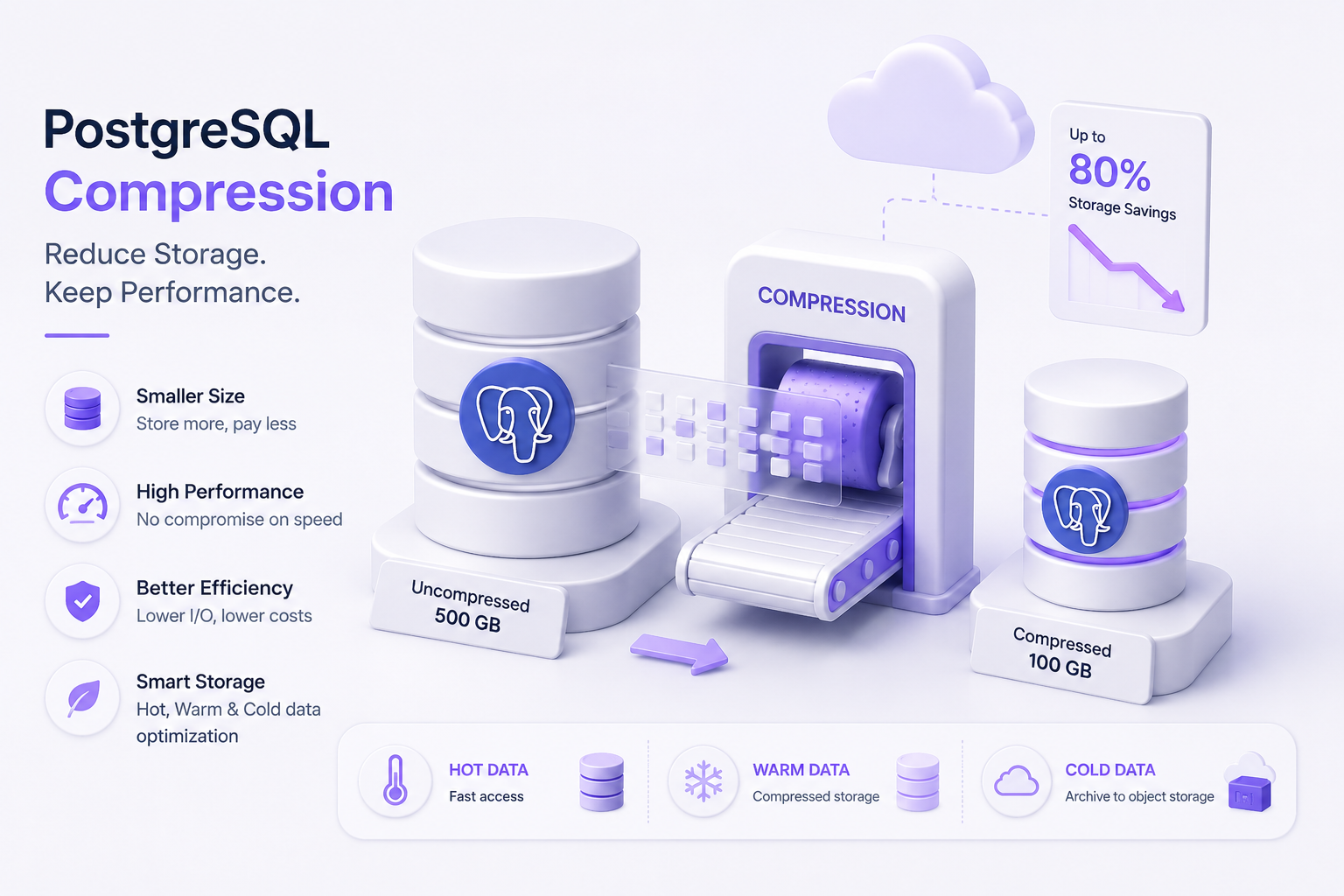
The Core Question: Your PostgreSQL database is getting bigger. Your cloud infrastructure bill is following it right up the cost curve. But does every byte sitting on your primary volume actually need to consume expensive, high-IOPS block storage?
> For engineering teams running managed database instances—whether on AWS Aurora, RDS gp3, Google Cloud SQL, or Azure Database for PostgreSQL—storage is rarely just a line item for persistent disk bytes. Storage capacity directly dictates backup duration, snapshot costs, replica footprints, and, most critically, disk I/O amplification. When oversized, uncompressed data pages flood memory, cache hit ratios plummet, forcing PostgreSQL to pull data from disk for operations that should have completed entirely in RAM.
> Many teams assume that compressing data inevitably introduces high CPU overhead that harms query latency. While naive compression can indeed lead to bottlenecks, modern PostgreSQL compression techniques—ranging from native TOAST algorithm tuning to columnar layout transformations—can actually improve overall query throughput by drastically reducing the number of 8 KB shared buffer pages that must be read from disk.
> This technical guide unpacks how storage grows inside PostgreSQL, how built-in compression mechanisms work (and where they break down), and how to systematically shrink your storage footprint without degrading query execution speed.
TL;DR — Compressing PostgreSQL Storage
pglz default to lz4 (available in modern PostgreSQL versions) to achieve faster decompression speeds with negligible CPU overhead.pg_repack to reclaim unallocated disk space before restructuring data.Technical Blueprint
Storage PlaneCloudflare R2 CAS
Execution CoreDataFusion SIMD
Decode Fidelity100% Bit-Exact
Wire DoorsPG · MySQL · Mongo
Official Channels
1. Why PostgreSQL Storage Expands Faster Than Expected
To compress data effectively, you must first pinpoint where the bytes actually live. RunningSELECT pg_size_pretty(pg_database_size('production_db')); tells you the total disk footprint, but it hides the distribution of physical disk usage.
text
Total PostgreSQL Disk Footprint
├── Heap Relations (Base Table Data Pages)
├── Secondary Indexes (B-Trees, GIN, BRIN, GiST)
├── TOAST Tables (Out-of-line storage for large attributes)
├── Write-Ahead Logs (WAL segments pending checkpoint/archive)
└── MVCC Bloat (Dead tuples and fragmented index pages)
The Primary Storage Drivers
JSONB, long text, raw event payloads, or arrays trigger out-of-line storage. If left unoptimized, small mutations to large records write entirely new tuple versions to disk.VACUUM frees them. High-write or high-update tables that lack aggressive vacuum tuning accumulate dead space that directly inflates disk footprint and wastes buffer pool cache.
sql
SELECT
    relname AS entity_name,
    pg_size_pretty(pg_relation_size(c.oid)) AS raw_table_size,
    pg_size_pretty(pg_total_relation_size(c.oid) - pg_relation_size(c.oid) - COALESCE(pg_relation_size(c.reltoastrelid), 0)) AS index_size,
    pg_size_pretty(COALESCE(pg_relation_size(c.reltoastrelid), 0)) AS toast_size,
    pg_size_pretty(pg_total_relation_size(c.oid)) AS total_footprint
FROM pg_class c
JOIN pg_namespace n ON n.oid = c.relnamespace
WHERE n.nspname NOT IN ('pg_catalog', 'information_schema')
  AND c.relkind = 'r'
ORDER BY pg_total_relation_size(c.oid) DESC
LIMIT 10;
2. Deep Dive: TOAST and Native Column Compression
PostgreSQL pages have a rigid, fixed size: 8 KB. A single database tuple cannot span multiple pages. To store values larger than an 8 KB page (or values that would cause a row to exceed the page threshold), PostgreSQL relies on TOAST (The Oversized-Attribute Storage Technique).
text
[ Incoming Wide Tuple (>2 KB threshold) ]
                  │
                  ▼
         [ Is value compressible? ]
           ├── YES ──► Compress inline using active algorithm (PGLZ / LZ4)
           │           │
           │           ▼
           │     Still > 2KB? ──► Move out-of-line into separate TOAST table (chunked into 2KB slices)
           │
           └── NO  ─────────────► Move uncompressed payload directly into TOAST table
TOAST Strategies
Every column in a PostgreSQL table has an internal storage strategy that dictates when and how TOAST processes it:INTEGER, BOOLEAN, UUID).PGLZ vs. LZ4: Why Algorithm Choice Matters
Historically, PostgreSQL used its internal compression algorithm, PGLZ, exclusively. While PGLZ produces reasonable compression ratios, its decompression cycle can be CPU-intensive under heavy read traffic.Modern PostgreSQL releases support LZ4, an algorithm designed specifically for high-throughput streaming scenarios. LZ4 decompresses data substantially faster than PGLZ, allowing the database to pull compressed records from disk, decompress them in memory, and serve the query with negligible latency penalties.
text
Algorithm Decompression Profile (Conceptual Trade-off)
─────────────────────────────────────────────────────────────
PGLZ  │ [Moderate Compression] ──► Slower Decompression (CPU-heavy)
LZ4   │ [Similar Compression]  ──► Extremely Fast Decompression (Low CPU tax)
─────────────────────────────────────────────────────────────
Configuring LZ4 Compression
To take advantage of LZ4, verify that your PostgreSQL build was compiled with LZ4 support, then adjust your default or per-column configuration:
sql
-- Set the system-wide default for new columns
SET default_toast_compression = 'lz4';

-- Alter an existing wide column on a high-throughput table
ALTER TABLE audit_logs
    ALTER COLUMN event_payload SET COMPRESSION lz4;

-- Note: Existing rows are not retroactively rewritten!
-- New inserts and updates will use LZ4 immediately.
-- To compress existing historical tuples using the new algorithm:
CLUSTER audit_logs USING audit_logs_pkey;
-- Or use pg_repack to avoid holding an ACCESS EXCLUSIVE lock.
3. Storage Bloat: Clear Dead Tuples Before Compressing
Compressing data that shouldn't be on disk in the first place wastes both time and compute resources.When rows are updated or deleted, PostgreSQL's MVCC creates dead versions of those tuples. While regular autovacuum routines track these dead spaces in the Free Space Map (FSM) so future inserts can reuse them, the physical files on disk (base// ) do not automatically shrink.
text
Page Structure with Bloat:
┌───────────────────────────────────────────────────────────┐
│ Page Header │ Live Tuple A │ DEAD TUPLE │ Live Tuple B   │
│             │   (Active)   │ (Obsolete) │   (Active)      │
└───────────────────────────────────────────────────────────┘
               ▲                           ▲
               └── 30-50% Disk Waste ──────┘
Step 1: Diagnose Table & Index Bloat
To see how many dead tuples are consuming storage space in your relations, run:
sql
SELECT
    relname,
    n_live_tup,
    n_dead_tup,
    ROUND((n_dead_tup::float / NULLIF(n_live_tup + n_dead_tup, 0))::numeric * 100, 2) AS dead_tuple_pct,
    last_vacuum,
    last_autovacuum
FROM pg_stat_user_tables
WHERE (n_live_tup + n_dead_tup) > 50000
ORDER BY n_dead_tup DESC;
Step 2: Prevent Bloat Recurrence with Proactive Autovacuum Settings
If tables run hot with constant write operations, default autovacuum thresholds will lag behind row modifications. Adjust the scale factors directly on bloated relations:
sql
ALTER TABLE user_sessions SET (
    autovacuum_vacuum_scale_factor = 0.05,    -- Vacuum after 5% churn (default is 20%)
    autovacuum_vacuum_cost_limit = 2000,      -- Increase throughput budget per cycle
    autovacuum_vacuum_cost_delay = 2          -- Reduce sleep time between worker batches
);
Step 3: Reclaim Allocated Space Online with pg_repack
RunningVACUUM FULL rewrites a table to a fresh disk file, stripping away dead tuples and unallocated space. However, it takes an ACCESS EXCLUSIVE lock, completely halting application reads and writes for the duration of the operation.For production systems that cannot tolerate locks, use the open-source pg_repack utility. It builds a duplicate table behind the scenes using triggers to capture live transactional deltas, swaps the underlying files in catalog tables, and drops the old, bloated files:
bash
# Reclaims disk space and rebuilds indexes concurrently without read/write blocks
pg_repack -h db.internal -U postgres -d production_db -t user_sessions
4. Partitioning vs. Compression: When to Use Which
Engineers frequently ask: “Should we partition our large table or compress it?”The answer is rarely one or the other. Partitioning and compression address two different aspects of database scalability:| Optimization Vector | What It Actually Solves | Primary Mechanism |
|---|---|---|
| **Partitioning** | Eliminates unnecessary disk reads via Partition Pruning. | Divides one massive logical table into distinct physical sub-tables by boundary (e.g., date, range, hash). |
| **Compression** | Shrinks physical byte density on disk and in memory. | Encodes data patterns into compact binary representations using algorithms like LZ4 or ZSTD. |
text
Partitioning Without Compression:
[ 500 GB Single Table ] ──► [ 12 x 40 GB Uncompressed Monthly Partitions ]
(Scans are faster due to pruning, but disk storage costs remain unchanged)

Compression Without Partitioning:
[ 500 GB Single Table ] ──► [ 250 GB Compressed Single Table ]
(Storage footprint shrinks, but index traversals and maintenance operations still hit one massive relation)

The Optimal Combination:
[ 500 GB Single Table ] ──► Partition by Date ──► Compress and Tier Historical Partitions
(Fast scans for recent data, high compression ratios for cold data, minimal storage costs)
Practical Guidelines
created_at or tenant_id), or when old records need to be purged instantly using DROP TABLE instead of expensive, fragmented DELETE queries.JSONB structures, or arrays that benefit from algorithmic reduction.5. Hot vs. Cold Storage Architecture
Not all records in your database share the same operational value. Storing immutable event logs from three years ago on ultra-fast, provisioned-IOPS enterprise solid-state drives is one of the most common causes of inflated cloud bills.By grouping data into distinct operational tiers, you can allocate expensive resources where they matter most:
text
┌─────────────────────────────────────────────────────────────┐
│                     HOT DATA TIER                           │
│  Duration: Last 30 Days                                     │
│  Access Pattern: High-throughput OLTP (Reads & Updates)     │
│  Storage Media: High-IOPS Cloud Block Storage (gp3 / SSD)   │
│  Compression: Uncompressed or Low-latency LZ4               │
└──────────────────────────────┬──────────────────────────────┘
                               │
            Automatic Partition Demotion / Transition
                               │
                               ▼
┌─────────────────────────────────────────────────────────────┐
│                    WARM DATA TIER                           │
│  Duration: 30 to 90 Days                                    │
│  Access Pattern: Periodic Reports, Aggregations, Auditing   │
│  Storage Media: Standard Block Storage                      │
│  Compression: Compressed Partitions (High-density LZ4/ZSTD) │
└──────────────────────────────┬──────────────────────────────┘
                               │
                 Batch Parquet Export / Offload
                               │
                               ▼
┌─────────────────────────────────────────────────────────────┐
│                    COLD DATA TIER                           │
│  Duration: > 90 Days                                        │
│  Access Pattern: Rare Analytical Queries, Regulatory Holds  │
│  Storage Media: Cloud Object Storage (S3 / GCS / Azure Blob)│
│  Compression: Snappy / ZSTD Parquet Columnar Files          │
└─────────────────────────────────────────────────────────────┘
Implementing Range-Based Partition Transitions
Define parent tables with native declarative partitioning:
sql
CREATE TABLE transaction_ledger (
    transaction_id UUID NOT NULL,
    account_id BIGINT NOT NULL,
    amount NUMERIC(12, 2) NOT NULL,
    metadata JSONB,
    created_at TIMESTAMPTZ NOT NULL
) PARTITION BY RANGE (created_at);

-- Hot partition: Receives active writes
CREATE TABLE ledger_2026_09 PARTITION OF transaction_ledger
    FOR VALUES FROM ('2026-09-01 00:00:00+00') TO ('2026-10-01 00:00:00+00');

-- Warm partition: Past month; apply LZ4 TOAST compression
CREATE TABLE ledger_2026_08 PARTITION OF transaction_ledger
    FOR VALUES FROM ('2026-08-01 00:00:00+00') TO ('2026-09-01 00:00:00+00');

ALTER TABLE ledger_2026_08 ALTER COLUMN metadata SET COMPRESSION lz4;
6. Why Row-Based Storage Fails at Analytical Scale
While native TOAST compression and table partitioning help manage data sizes, traditional row-oriented storage encounters physical limits when applied to data-intensive analytics.PostgreSQL writes and reads data in complete horizontal rows across standard 8 KB pages:
text
Row-Oriented 8KB Page Layout:
┌──────────────────────────────────────────────────────────────────────────────┐
│ [ID: 1 | Timestamp: 10:00 | User: Alex  | Amount: $50  | Meta: { ... 2KB } ] │
│ [ID: 2 | Timestamp: 10:01 | User: Sarah | Amount: $120 | Meta: { ... 2KB } ] │
│ [ID: 3 | Timestamp: 10:02 | User: Dave  | Amount: $35  | Meta: { ... 2KB } ] │
└──────────────────────────────────────────────────────────────────────────────┘
sql
SELECT sum(amount)
FROM transaction_ledger
WHERE created_at >= '2026-01-01';
The Consequences of I/O Amplification
shared_buffers, causing latency spikes for unrelated operational workloads.7. Columnar Compression: High Density for Analytical Workloads
Unlike row storage, a columnar architecture pivots data layout on disk by 90 degrees. Every column is stored in its own dedicated, contiguous set of storage blocks.
text
Columnar Storage Layout:
Amounts:    [ $50,  $120,  $35,  ... ] ──► Dense, homogeneous data (High Compression)
Timestamps: [ 10:00, 10:01, 10:02, ... ] ──► Predictable delta intervals (Delta Encoding)
Users:      [ Alex, Sarah, Dave, ... ] ──► High repetitive patterns (Dictionary Encoding)
active, active, active, active as active x 4).8. Where KOLMOS Fits: Combining Columnar Storage with Vectorized Execution
For workloads with large analytical scans, high-frequency metrics, or massive aggregation queries, storage compression alone solves only half the performance challenge.Even if data is heavily compressed on disk, a traditional query engine must still decompress those rows and evaluate them one tuple at a time through its execution loop. Decompressing millions of records row-by-row can shift the performance bottleneck from disk I/O straight to CPU saturation.This is where an execution engine like KOLMOS fits naturally into the architecture.
text
                         Client Queries / Application
                                       │
                                       ▼
                       PostgreSQL-Compatible Interface
                                       │
                                       ▼
                                    KOLMOS
                                       │
                     ┌─────────────────┴─────────────────┐
                     ▼                                   ▼
             Columnar Storage                   Vectorized Execution
         (High-Density Compression)           (SIMD Batch Processing)
                     │                                   │
                     └─────────────────┬─────────────────┘
                                       ▼
                       Minimal Storage Footprint
                       Fast Analytical Processing
How KOLMOS Changes the Equation
Instead of forcing teams to manage complex ETL pipelines to offload data into external cloud data warehouses, KOLMOS introduces a specialized performance layer designed to accelerate analytical queries within the PostgreSQL ecosystem:9. Practical PostgreSQL Storage Optimization Checklist
Follow this systematic checklist to audit, compress, and optimize your database storage tier:Phase 1: Identification & Auditing
pg_total_relation_size().pg_stat_user_indexes to identify unused indexes with zero scans.pg_stat_user_tables.Phase 2: Cleanup & Maintenance
pg_repack on tables with over 20% dead space to reclaim unallocated disk blocks online.Phase 3: Native Compression Tuning
EXTERNAL to prevent wasted compression passes.Phase 4: Lifecycle Tiering & Architecture
10. Frequently Asked Questions (FAQs)
Does enabling LZ4 compression on a PostgreSQL table retroactively compress existing data?
No. RunningALTER TABLE ... ALTER COLUMN ... SET COMPRESSION lz4; applies only to new data inserted or updated after the command is executed. Existing rows retain their original storage format. To compress existing records using LZ4, you must rewrite the table using VACUUM FULL, CLUSTER, or an online utility like pg_repack.Will TOAST compression slow down my transactional write operations?
PGLZ can add slight CPU overhead during intensive write operations because of how it processes compression blocks. LZ4, by contrast, is designed for extremely fast encoding passes, making its impact on write latency negligible for most workloads. In scenarios where disk write throughput or network storage limits are the primary bottleneck, compressing records with LZ4 can actually improve write performance by reducing the physical byte volume sent to disk.Can secondary indexes in PostgreSQL be compressed?
Native PostgreSQL B-Tree indexes do not support compression in the traditional algorithmic sense. However, starting with PostgreSQL 13, B-Tree indexes use deduplication by default. Deduplication collapses duplicate key values into a single reference list, which can significantly reduce the disk footprint of indexes on columns with low-to-moderate uniqueness without any query performance penalty.Why is my database size not shrinking after deleting millions of rows?
PostgreSQL's MVCC design means aDELETE operation simply marks tuples as dead—it does not return the physical disk space to your operating system. Normal autovacuum cycles clean the space so it can be reused by future INSERT queries within that same table, but the allocated file on disk remains the same size. To shrink the file and return space to your storage volume without table locks, run pg_repack.How is columnar compression different from filesystem-level compression (e.g., ZFS)?
Filesystem-level compression compresses data blocks uniformly, without understanding the structure of the database pages inside them. It cannot optimize for specific database types. Columnar compression, by contrast, operates at the data layer: it stores values of the same type contiguously and applies targeted techniques like dictionary encoding and frame-of-reference deltas. This yields significantly better compression ratios and allows the query engine to read only the columns needed by a query, avoiding unnecessary disk I/O entirely.Connect with the KOLMOS Team
Have questions about optimizing your PostgreSQL storage or evaluating columnar performance engines?Try KOLMOS Today
Deploy Your First Self-Compressing Store.
Connect via PostgreSQL, MySQL, or MongoDB. 10 GB free developer storage included.